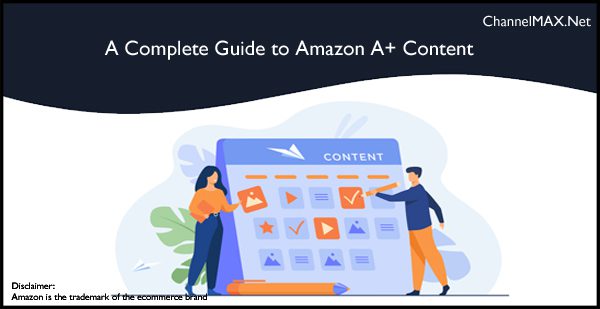
Learn how to create Amazon A+ Content that showcases your products, builds customer trust, improves conversions, and strengthens your brand.
If you want your products to stand out on the Amazon marketplace, having a great product alone isn’t always enough. Customers often compare several similar products before making a purchase, and your product listing plays a big role in their decision.
This is where Amazon A+ Content can make a difference.
A+ Content allows eligible sellers to enhance their product detail pages with high-quality images, comparison charts, detailed descriptions, and brand stories. Instead of relying only on plain text, you can create visually appealing listings that answer customer questions, explain product benefits, and build confidence in your brand.
Well-designed A+ Content not only makes your listings look more professional but also helps shoppers understand your products better, which can lead to higher conversion rates and fewer returns.
In this guide, you’ll learn what Amazon A+ Content is, its different types, best practices, common mistakes to avoid, how to create it, and the benefits it offers for your business.
What Is Amazon A+ Content?
Amazon A+ Content is a feature available to sellers who are enrolled in the Amazon Brand Registry. It allows brand owners to improve their product detail pages by replacing basic product descriptions with better and more engaging content.
Instead of showing only plain text, sellers can add different visual elements that make their listings more informative and attractive.
Some of the features you can include are:
- High-quality product images
- Lifestyle images showing the product in use
- Comparison charts
- Detailed product descriptions
- Infographics
- Brand story sections
- Product feature highlights
These elements help shoppers understand your product better and make your listing look more professional.
Rather than simply listing product features, A+ Content allows you to explain how your product solves a customer’s problem and why your brand is worth choosing.
Types of Amazon A+ Content
Amazon currently offers different levels of A+ Content depending on eligibility.
1. Basic A+ Content
Basic A+ Content is available to sellers enrolled in Amazon Brand Registry. It is free to use and offers several content modules that can improve your product listings.
With Basic A+ Content, you can include:
- Product feature sections
- Large product images
- Comparison charts
- Brand Story modules
- Detailed product descriptions
For many small and medium-sized businesses, Basic A+ Content provides everything needed to create attractive and informative product pages.
2. Premium A+ Content
Premium A+ Content offers additional design options and interactive features for eligible brands.
Depending on Amazon’s current eligibility requirements, sellers may have access to features such as:
- Larger interactive images
- Video sections
- Advanced comparison modules
- Interactive hotspots
- Enhanced layouts
These additional modules allow brands to create a more engaging shopping experience and better showcase complex or premium products.
Best Practices for Creating Amazon A+ Content
Creating A+ Content is about more than adding attractive images. Every section should help customers understand your product and make them feel confident about buying it.
1. Use High-Quality Images: Images are one of the first things shoppers notice on a product page. High-quality visuals make your listing look more professional and help customers understand what they’re buying.
Instead of uploading ordinary product photos, use clear, high-resolution images that highlight important features, product details, and real-life usage.
Lifestyle images can also help customers imagine how the product fits into their daily lives, making it easier for them to make a purchase decision.
For the best results:
- Use bright, professional images.
- Show the product from different angles.
- Include close-up shots of important features.
- Add lifestyle images that demonstrate real-world use.
Good images not only attract attention but also reduce customer confusion.
2. Focus on Customer Benefits: Many sellers spend too much time talking about product specifications and not enough time explaining why those features matter.
Instead of simply saying your product has a stainless-steel body or a rechargeable battery, explain how these features benefit the customer.
For example, rather than writing: “Made with premium stainless steel.”
You can write: “The stainless-steel design offers better durability and helps your product last longer.”
When customers understand how your product improves their daily lives, they are more likely to buy it.
3. Keep Your Content Simple and Easy to Read: Most Amazon shoppers don’t read every word on a product page. Instead, they quickly scan the information before deciding whether to continue.
Make your A+ Content easy to read by using:
- Short paragraphs
- Clear headings
- Bullet points
- Simple language
- Plenty of white space
Avoid writing long blocks of text. Breaking information into smaller sections helps customers find the details they’re looking for much faster.
Remember, your goal is to explain the product clearly—not confuse shoppers with too much information.
4. Tell Your Brand Story: Customers often like to know the people and values behind the products they buy.
Use your Brand Story section to explain:
- Why was your company created
- Your mission
- Your commitment to quality
- What makes your products different
A genuine brand story helps create trust and encourages repeat purchases. Instead of focusing only on selling, show customers what your brand stands for.
Even a short and honest story can help your business stand out from competitors.
5. Use Comparison Charts: If you sell multiple products, comparison charts are an excellent way to help customers choose the right option.
Comparison tables allow shoppers to compare products without leaving your listing, making it easier for them to find the product that best fits their needs.
Include information such as:
- Product size
- Key features
- Available colors
- Recommended use
- Special functions
Well-designed comparison charts can also encourage customers to explore more products from your brand.
6. Optimize for Mobile Shoppers: A large number of Amazon customers shop using smartphones and tablets. If your content looks crowded or difficult to read on smaller screens, shoppers may leave your listing before finishing it.
Keep mobile users in mind by:
- Writing short paragraphs.
- Using simple layouts.
- Avoid too much text in images.
- Making important information easy to find.
Always preview your A+ Content on different devices before publishing it.
7. Keep Your Branding Consistent: Every product page should reflect your brand identity. Use consistent:
- Colors
- Fonts
- Design style
- Image quality
- Tone of writing
When customers see the same professional style across all your listings, they begin to recognize and trust your brand more easily.
Consistency also gives your storefront a polished and professional appearance.
8. Review and Improve Your Content Regularly: Creating A+ Content is not a one-time task. As customer preferences change, your product pages should also be updated.
Regularly analyze how your A+ Content is performing using Amazon Brand Analytics and A/B testing, and look for opportunities to improve it.
Pay attention to:
- Customer questions
- Product reviews
- Conversion rates
- Changes in product features
- Updated branding
Small improvements over time can help keep your listings fresh and continue improving sales performance.
Also Read: Amazon Brand Registry Program: A Smart Move for Brand Protection and Growth
Common Mistakes to Avoid When Creating Amazon A+ Content
While A+ Content can improve your product listings, certain mistakes can reduce its effectiveness or even cause Amazon to reject your submission. Avoiding these common errors will help you create content that is both customer-friendly and compliant with Amazon’s guidelines.
1. Avoid Using Promotional Language: Amazon does not allow promotional phrases like “Best Seller,” “No. 1 Product,” “Limited Time Offer,” or “Lowest Price Guaranteed” in A+ Content.
Your goal should be to educate customers, not advertise to them. Focus on explaining your product’s features and benefits instead of making promotional claims.
Instead of using sales-focused language, provide useful information that helps shoppers make informed buying decisions.
2. Don’t Make Unsupported Claims: It may be tempting to say your product is the “best” or that it delivers “guaranteed results,” but Amazon requires sellers to support any factual claims with proper evidence.
Avoid making statements that cannot be verified. Exaggerated claims can reduce customer trust and may also result in Amazon rejecting your A+ Content.
Be honest about what your product offers and highlight real benefits supported by facts.
3. Don’t Overload the Page with Text: Adding too much information can overwhelm customers. Most shoppers quickly scan product pages rather than reading every sentence.
Keep your content short, clear, and well-organized. Use headings, bullet points, and images to make the information easier to understand.
A clean layout improves readability and helps customers find important details quickly.
4. Avoid Low-Quality Images: Images play a major role in A+ Content. Blurry or dark images can make your listing look unprofessional and reduce customer confidence.
Use clear, high-resolution images that accurately represent your product. Show different angles, important features, and lifestyle photos whenever possible.
Professional-looking images create a better first impression and increase trust.
5. Don’t Add External Links or Contact Information: Amazon does not allow sellers to include website links, email addresses, phone numbers, QR codes, or social media links in A+ Content.
Keep all product information within your Amazon listing. If customers need support, they should contact you through Amazon’s approved communication channels.
Following these rules helps ensure your content is approved without unnecessary delays.
6. Avoid Copying the Same Content Across Every Listing: While maintaining consistent branding is important, every product has unique features and benefits.
Instead of using exact A+ Content for all products, customize each listing to explain what makes that particular product valuable.
Personalized content helps customers understand the differences between your products and improves the overall shopping experience.
7. Forgetting to Update Your Content: Many sellers create A+ Content once and never review it again. Over time, product features, branding, or customer preferences may change.
Regularly update your A+ Content to:
- Add new product features.
- Replace outdated images.
- Improve descriptions.
- Answer common customer questions.
- Reflect changes in your branding.
Keeping your content updated helps your listings stay relevant and competitive.
How to Create Amazon A+ Content
Creating Amazon A+ Content is an easy process once your brand is registered. Follow these steps to build attractive and informative product pages.
Step 1: Join Amazon Brand Registry
Before you can use A+ Content, your brand must be enrolled in the Amazon Brand Registry. This usually requires a registered trademark and approval from Amazon.
Once your brand is approved, you’ll gain access to additional branding tools, including A+ Content.
Step 2: Open the A+ Content Manager
Log in to your Amazon Seller Central account.
Go to:
Advertising → A+ Content Manager
Click Create A+ Content to start building your enhanced product page.
Step 3: Select the Right Content Modules
Amazon provides several layout options that allow you to display your content in different ways.
Choose modules that best fit your product, such as:
- Large image banners
- Image and text combinations
- Product comparison charts
- Brand Story modules
- Feature highlight sections
Select layouts that make your information easy to understand instead of simply filling every available section.
Step 4: Add Images and Product Information
Upload high-quality images and write clear product descriptions.
When creating your content:
- Highlight customer benefits.
- Explain important product features.
- Keep the language simple.
- Use short paragraphs.
- Double-check spelling and grammar.
Remember that A+ Content should help customers understand why your product is the right choice.
Step 5: Review Everything Carefully
Before submitting your content, check every section carefully.
Look for:
- Image quality
- Spelling mistakes
- Incorrect product information
- Missing details
- Formatting issues
A final review helps reduce the chances of Amazon rejecting your submission.
Step 6: Submit for Amazon’s Review
After completing your A+ Content, submit it for review.
Amazon will review your content to make sure it follows its policies and guidelines. If changes are needed, Amazon usually explains what needs to be corrected before you resubmit it.
Once approved, your enhanced product content will appear on your product detail page.
To summarize, Amazon A+ Content is one of the best tools available for brand-registered sellers who want to create better product listings and improve the shopping experience.
By using high-quality images, writing clear product descriptions, sharing your brand story, and following Amazon’s guidelines, you can create listings that are both informative and visually appealing.
Remember that successful A+ Content isn’t about adding more information—it’s about presenting the right information in a way that’s easy for customers to understand. Review your content regularly, make improvements based on customer feedback, and keep your listings updated as your products and brand evolve.
With thoughtful planning and consistent optimization, Amazon A+ Content can help you build customer trust, strengthen your brand, and support long-term growth on Amazon.
Also Read: How to Write an Amazon Product Listing That Ranks High and Wins More Customers
Disclaimer:
Amazon is the registered trademark of the e-commerce brand.
Frequently Asked Questions (FAQs)
1. Who can use Amazon A+ Content?
Amazon A+ Content is available to sellers who are part of the Amazon Brand Registry. If your brand is registered and approved by Amazon, you can create and publish A+ Content for your eligible product listings.
2. Does Amazon A+ Content help increase sales?
Yes. Well-designed A+ Content can improve the shopping experience by helping customers better understand your products. Clear product information, professional images, and engaging layouts can increase customer confidence, which may lead to higher conversion rates.
3. Does Amazon A+ Content improve SEO?
A+ Content does not directly improve Amazon search rankings because Amazon doesn’t index most of the text within A+ modules for keyword ranking. However, better product pages can increase customer engagement and conversions, which may positively influence your listing’s overall performance.
4. What should I include in Amazon A+ Content?
Your A+ Content should include high-quality images, clear product descriptions, feature highlights, comparison charts, and your brand story. Focus on explaining how your product benefits customers rather than simply listing its features.
5. What is not allowed in Amazon A+ Content?
Amazon does not allow promotional phrases, pricing information, customer reviews, external website links, contact details, unsupported claims, or copyrighted content that you do not own. Following Amazon’s content guidelines helps prevent your submission from being rejected.
6. Is Amazon A+ Content free?
Basic Amazon A+ Content is available at no additional cost for eligible sellers enrolled in the Amazon Brand Registry. Amazon also offers Premium A+ Content with advanced features for sellers who meet specific eligibility requirements.
7. How long does Amazon take to approve A+ Content?
Approval times may vary, but Amazon typically reviews A+ Content within a few business days. If your content doesn’t meet Amazon’s guidelines, you’ll receive feedback so you can make changes and submit it again.
8. Can I update my Amazon A+ Content after it is published?
Yes. You can edit and update your A+ Content whenever needed. Regular updates help keep your product information accurate and allow you to improve your listings based on customer feedback or changes to your products.